
SNOW - AI Profile
SNOW CorporationPhotography
3.78.10K Reviews
- Version
- Varies With Device
- Installs
- 100.00M
- Age Rating
- Everyone
Screenshots
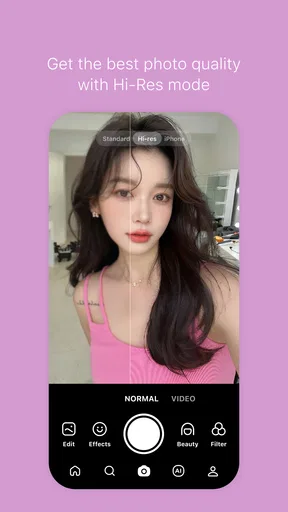
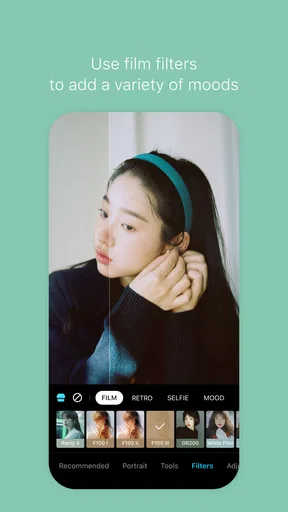
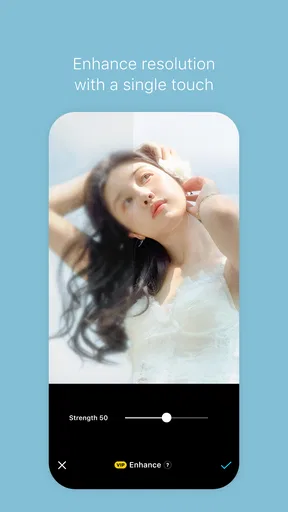
Our Review of SNOW - AI Profile
 Analysis by Appyee
I think SNOW is most appealing when you want a playful, stylized portrait rather than a faithful record of how you look. Its AI-led approach can make an ordinary selfie feel made for a profile picture, but that same transformation is not always what you want from a camera app. If you enjoy experimenting and are comfortable choosing carefully among edited results, it is worth a look; if you mainly want natural photos with minimal fuss, a standard camera or lighter editor may suit you better.
Where the creative workflow earns its keep
The useful part is not simply having lots of effects; it is being able to try a visual direction and then decide how far to take it. I’d treat the first result as a starting point, not an automatic improvement. When an effect changes the mood of a face or background more than expected, dialing it back can make the picture feel personal instead of processed.
That makes the app handy for small, low-stakes moments: choosing a new avatar, making a themed image for a group chat, or turning a quick selfie into something more expressive before sharing it. For a profile image, I’d check the crop at the size it will actually appear. Details that look striking full-screen can disappear in a small circular thumbnail, while a busy border or background may compete with the face.
Practical choices before you share
A useful workflow is to keep the original photo and compare it with the edited version before posting. This helps me catch changes that are attractive at first glance but do not fit the image I want to present. It is also worth trying more than one source photo: a clear, evenly lit selfie gives an effect less visual clutter to work around, while a strongly shadowed or busy shot may produce a result that feels less cohesive.
SNOW is better approached as a creative photo tool than as a replacement for every part of a photography routine. If I need to preserve a scene accurately, document a product, or take a quick picture without a stylized look, I would use the regular camera and leave the transformation for another time. Its strongest case is intentional self-expression, not reliable, neutral editing for every kind of image.
Who is likely to enjoy it?
It should suit people who like trying different looks, want an easy way to make selfies more distinctive, and do not mind spending a little time comparing results. Someone who posts casually can use it for a one-off profile refresh; a more creative user may enjoy testing how different styles change the same portrait. You do not need to be a professional editor to explore the options, though a little patience helps you avoid settling for the first effect that appears.
I would be less enthusiastic about recommending it to someone who wants a restrained editor with a predictable, natural finish. If you rarely take selfies, dislike pronounced visual effects, or need every photo to remain close to the original, the app’s creative emphasis may feel like extra work rather than a benefit. A basic photo editor is often the simpler choice for straightening, cropping, or making a modest adjustment.
How it fits beside other photo apps
Compared with the camera already on a phone, SNOW puts more emphasis on transforming a portrait than on simply capturing the moment. Compared with a conventional editor, it encourages trying a look first and fine-tuning afterward, rather than building every adjustment by hand. That can make experimentation feel approachable, although it also means the result may be more stylized than someone expects from a general-purpose photo app.
For a real-world example, imagine taking a selfie before meeting friends and wanting a fresh chat profile image. I would choose a well-lit shot, test a couple of distinct looks, reduce any effect that overwhelms the face, then check the crop at thumbnail size before sharing. That short routine makes the creative tools more useful than applying the strongest treatment by default.
What to consider before installing
SNOW is a free photography app from SNOW Corporation, with in-app purchases ranging from about a dollar to around seventy dollars per item. I’d start with the free experience and make sure its style fits how I actually take photos before considering any purchase. The app is rated for everyone, so it is broadly accessible, but that does not mean every effect will appeal to every age or taste.
Its audience is substantial: it has more than a hundred million installs, and its average rating is 3.8 from around one and a half million ratings, alongside roughly eight thousand reviews. Those figures suggest many people have tried it, but they do not tell you whether its particular aesthetic matches yours. I would judge it by the results you can make with your own photos, not by popularity alone.
Have you ever found yourself scrolling through social media, envious of the flawless, vibrant profiles others seem to have? Well, fret no more because SNOW - AI Profile might just be the answer to your digital makeover dreams.
What is SNOW - AI Profile All About?
Let me take you on a little journey through the world of SNOW - AI Profile. This app is a creative powerhouse, designed to transform your ordinary photos into extraordinary digital art. With a few taps, you can create stunning AI-generated pictures that make your profile truly stand out.
The app offers a plethora of features, from AI filters to creative effects, all aimed at enhancing your digital persona. It’s like having a personal digital artist in your pocket, ready to revamp your online presence.
Getting Started: The User Experience
Downloading SNOW - AI Profile is a breeze, and getting started is even easier. Once you open the app, you’re greeted with a clean, user-friendly interface. I was pleasantly surprised by how intuitive it is. You don’t need to be a tech wizard to navigate through the options.
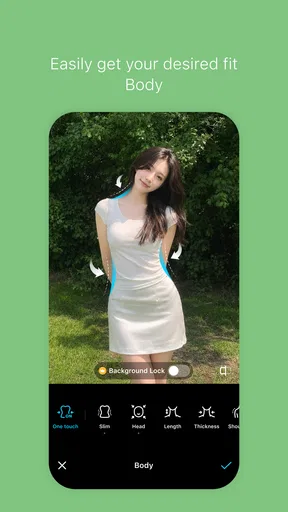
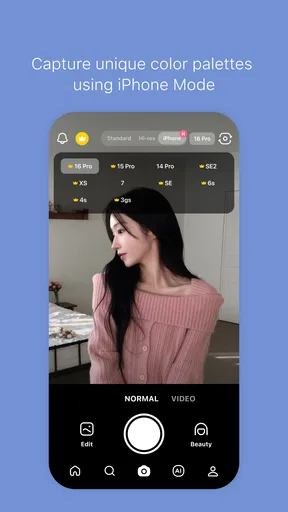
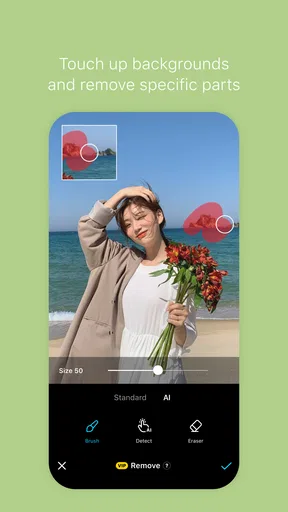
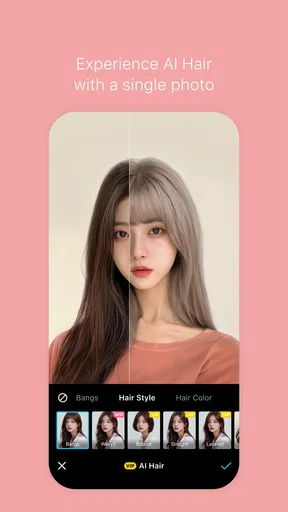
The app allows you to take photos directly or upload them from your gallery. Once you’ve got your photo, the magic begins. With a wide range of AI filters, you can turn a simple selfie into a work of art. The app’s AI technology is quite impressive, capturing the nuances and details of your image while adding a creative twist.
Diving Into the Features
Here’s where SNOW - AI Profile really shines. The app offers a variety of filters and effects, each with its own unique flair. From dreamy pastel tones to vibrant, eye-popping colors, there’s something for every mood and style.
I had a blast exploring the different options. The AI art feature is particularly noteworthy. It transforms your photo into a painting-like masterpiece, reminiscent of famous artworks. This feature alone is worth the download, especially if you’re a fan of unique, artistic photos.
Another feature I loved is the ability to adjust the intensity of the filters. This level of customization allows you to maintain a natural look or go all out with dramatic effects. It’s all about finding that perfect balance that suits your style.
Personal Touch: Customization Options
What sets SNOW - AI Profile apart is its focus on personalization. The app offers numerous customization options, from adding text to your images to incorporating creative stickers and borders. It’s a fun way to add a personal touch to your photos and make them truly yours.
One feature that caught my attention is the ability to create themed profiles. Whether you’re feeling whimsical or professional, the app provides curated themes that tie together your photos in a cohesive aesthetic. It’s a fantastic way to maintain a consistent look across your social media platforms.
The Social Element
SNOW - AI Profile isn’t just about individual creativity; it’s also about community. The app encourages sharing your creations with friends and followers, making it easy to post directly to social media platforms. You can even connect with other users, explore their creations, and draw inspiration from a diverse community of digital artists.
One neat feature is the ability to follow popular trends and participate in creative challenges. It’s a fun way to stay engaged and keep your profile fresh and exciting.
Final Thoughts
In conclusion, SNOW - AI Profile is a fantastic tool for anyone looking to elevate their digital presence. Its user-friendly interface, combined with a plethora of creative features, makes it a must-have app for both casual users and serious digital artists.
If you’re ready to transform your profile into a vibrant, artistic showcase, give SNOW - AI Profile a try. It’s like having an art studio in your pocket, ready to unleash your creativity at any moment.
Verdict
Strengths of SNOW - AI Profile
- User-friendly interface with intuitive navigation.
- High-quality photo enhancement features.
- Variety of filters and effects available.
- Fast processing with minimal lag.
- Secure data handling and privacy controls.
Limitations of SNOW - AI Profile
- Some features require in-app purchases.
- Occasional ad interruptions can be distracting.
- Limited offline functionality.
- Requires stable internet for optimal use.
- Can be resource-intensive on older devices.
Other Releases by SNOW Corporation
View All
B612 AI Photo&Video Editor
Photography4.1

VITA - Video Editor & Maker
Video Players & Editors4.2
Similar Picks in This Category
View All
Google Photos
Google LLC4.4

Gallery
Google LLC4.2

Picsart AI Photo Editor, Video
PicsArt, Inc.3.9
B612 AI Photo&Video Editor
SNOW Corporation4.1

BeautyPlus-Selfie Photo Editor
PIXOCIAL TECHNOLOGY (SINGAPORE) PTE. LTD.4.5

Remini - AI Photo Enhancer
Bending Spoons4.1
Frequently Asked Questions
What is SNOW - AI Profile and what does it do?
SNOW - AI Profile is a creative photo editing app that utilizes AI technology to enhance and transform your images. It offers a variety of features for creating artistic profiles, including filters, effects, and retouch tools. The app is designed to help users create unique and personalized images easily.
Is SNOW - AI Profile free to use?
SNOW - AI Profile offers both free and premium features. The basic tools and filters are accessible without charge, but advanced features, such as exclusive filters and effects, may require in-app purchases or a subscription. This allows users to choose whether they want additional functionalities.
How user-friendly is SNOW - AI Profile for beginners?
SNOW - AI Profile is designed with a user-friendly interface, making it easy for beginners to navigate. The app provides intuitive tools and simple navigation, allowing users to quickly apply filters and effects. Tutorials and guides are also available to help new users get started with photo editing.
What are the system requirements for installing SNOW - AI Profile?
To install SNOW - AI Profile, you need a device running on at least Android 5.0 or iOS 10.0. Ensure your device has sufficient storage space, as the app requires regular updates. For the best performance, it's recommended to use a device with a stable internet connection and good processing power.
Is SNOW - AI Profile safe to use in terms of privacy?
SNOW - AI Profile prioritizes user privacy and data protection. The app requires permissions to access your camera and photos, but it adheres to strict privacy policies. Users are encouraged to review the app’s privacy settings and terms of service to ensure they are comfortable with the data usage practices.
